
Shopping Mall & Offline Vending
Every player shop in one place, reachable from any Warper, and @autotrade detaches your merchant so you keep playing on the same account.
Shopping Mall & Offline Vending
Shops used to be scattered across every town. Now they live in one place, and running one no longer costs you your account.
Where it is#
Open the Warper from anywhere and pick " ~ Shopping Mall". It sits alongside Guild Castles as an always-free destination. No unlocking required, no walking there first.
What's there#
| NPC | What it does for you |
|---|---|
| Kafra Employee | Save your respawn point and open storage, same as any town Kafra. |
| Market Notice Board | A speech bubble explaining the layout at a glance. |
| Warper | Takes you back out again. |
The layout#
Four ring-shaped corridors wrap around a central plaza. Vending only works inside the rings. The four wide cross-aisles connecting them and the plaza itself stay clear on purpose, so the market fills up in orderly rows instead of turning into a wall of shop tiles nobody can walk through.
Every other map on the server (towns included) has vending and buying stores switched off. This is the only place either works.
Offline vending, rebuilt#
@autotrade used to leave your shop standing after you logged out, but your account stayed occupied the whole time. You could not log into another character while it ran, which is why some players kept a second account around purely to have somewhere else to be.
The rework removed that. The moment you @autotrade, your vendor becomes its own independent presence on the server:
- No second account needed. Your account is free again immediately. Log into a different character on the same account and play normally (level, quest, run dungeons) while the shop keeps selling in the background.
- Survives a server restart. The shop reopens on its own with its stock and position intact, no action needed from you.
- Closes itself when you come back. Log into the vending character and it shuts down automatically, handing you the zeny it made and whatever did not sell.
You are never running two things on one account at once. The vendor is frozen in place doing nothing but selling, and the character you play is the only one making changes to your account. Setting up a shop works the way it always has: open a vending or buying store, then @autotrade. Everything past that point is automatic.
Finding a shop without walking there#
You never have to run laps around the Mall reading shop titles. There are two ways to ask instead, one in game and one from your browser.
In game#
| Command | What it does |
|---|---|
@whosell <item> |
Searches every open player shop on the server and tells you who is selling it and for how much. |
@whobuy <item> |
The same for buying shops, so you can find out who wants what you are carrying. |
See the Commands page for the full list.
From the website#
Market Search (on secondwindro.com under Stats) lists every open shop on the server, searchable, so you can plan a shopping trip before you even log in.
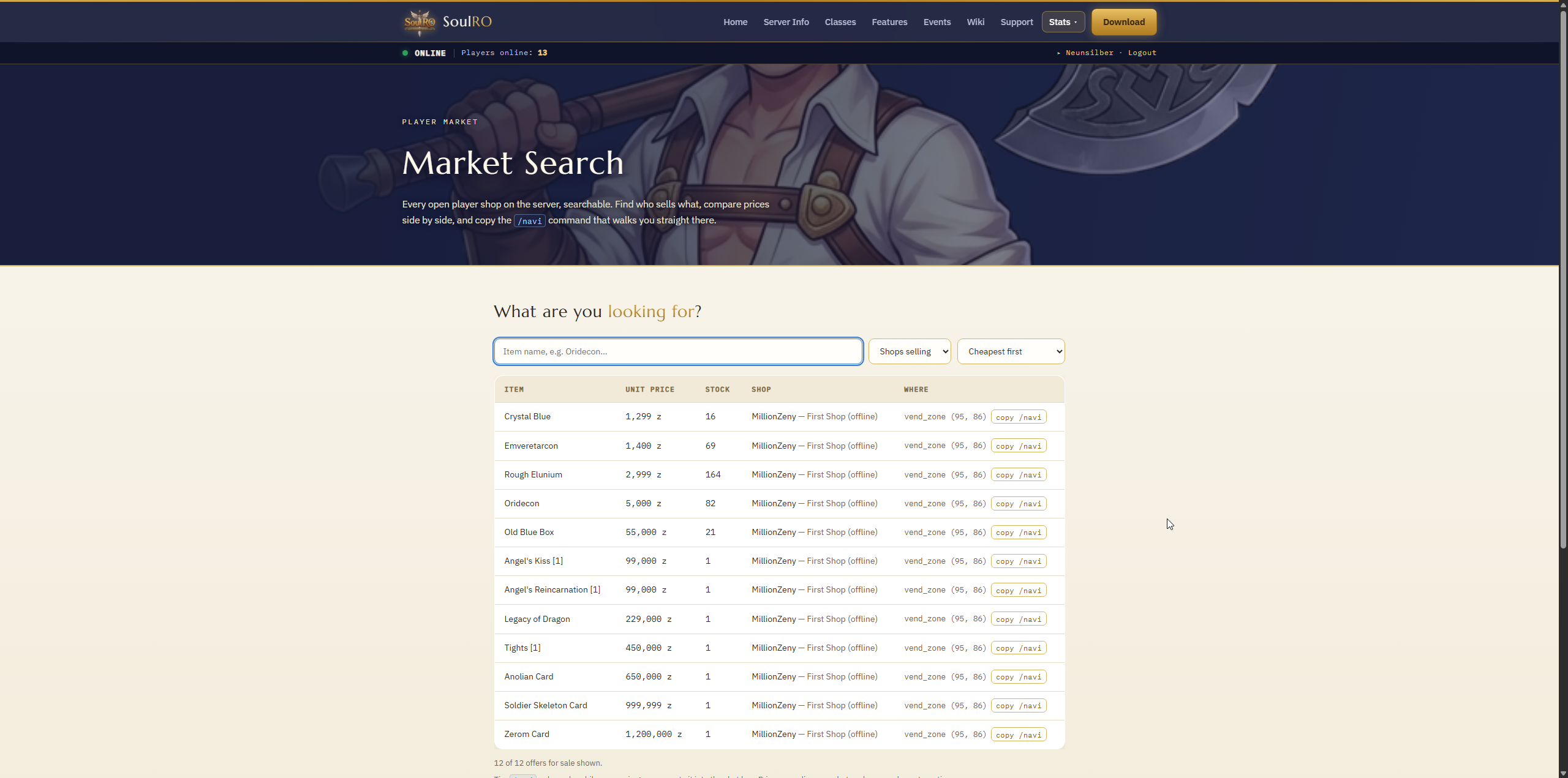
Type part of an item name and the list narrows as you type. Offers are sorted cheapest first by default, and when the same item is on sale in more than one shop the best price is flagged. You can also flip the list around to see what shops are buying, or sort by stock if you need quantity rather than a bargain.
Every row carries a copy /navi button. It puts a command like on your clipboard. Paste that into the game chat and your character walks straight to that shop. (/navi only works while you are in game.)
Peeking inside a shop#
Who's Online shows offline vendors alongside everyone else, marked Vending. Click that status and the shop opens up. It is the same window you would see standing in front of it, with stock, unit prices and what the whole shelf is worth.
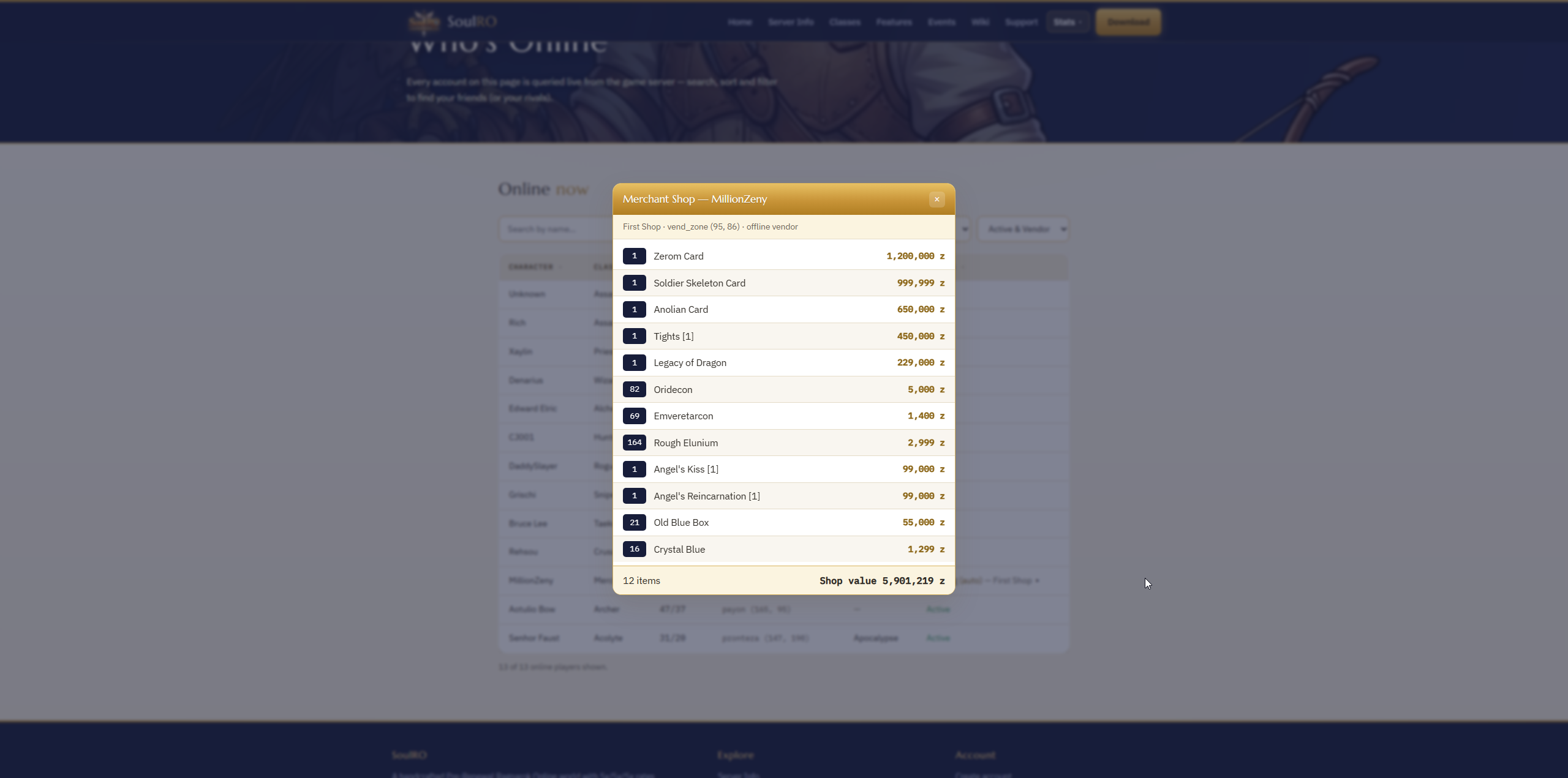
Both pages are a live snapshot. A shop can close or sell out between your looking and your arriving, so treat prices as very fresh rather than guaranteed.